






















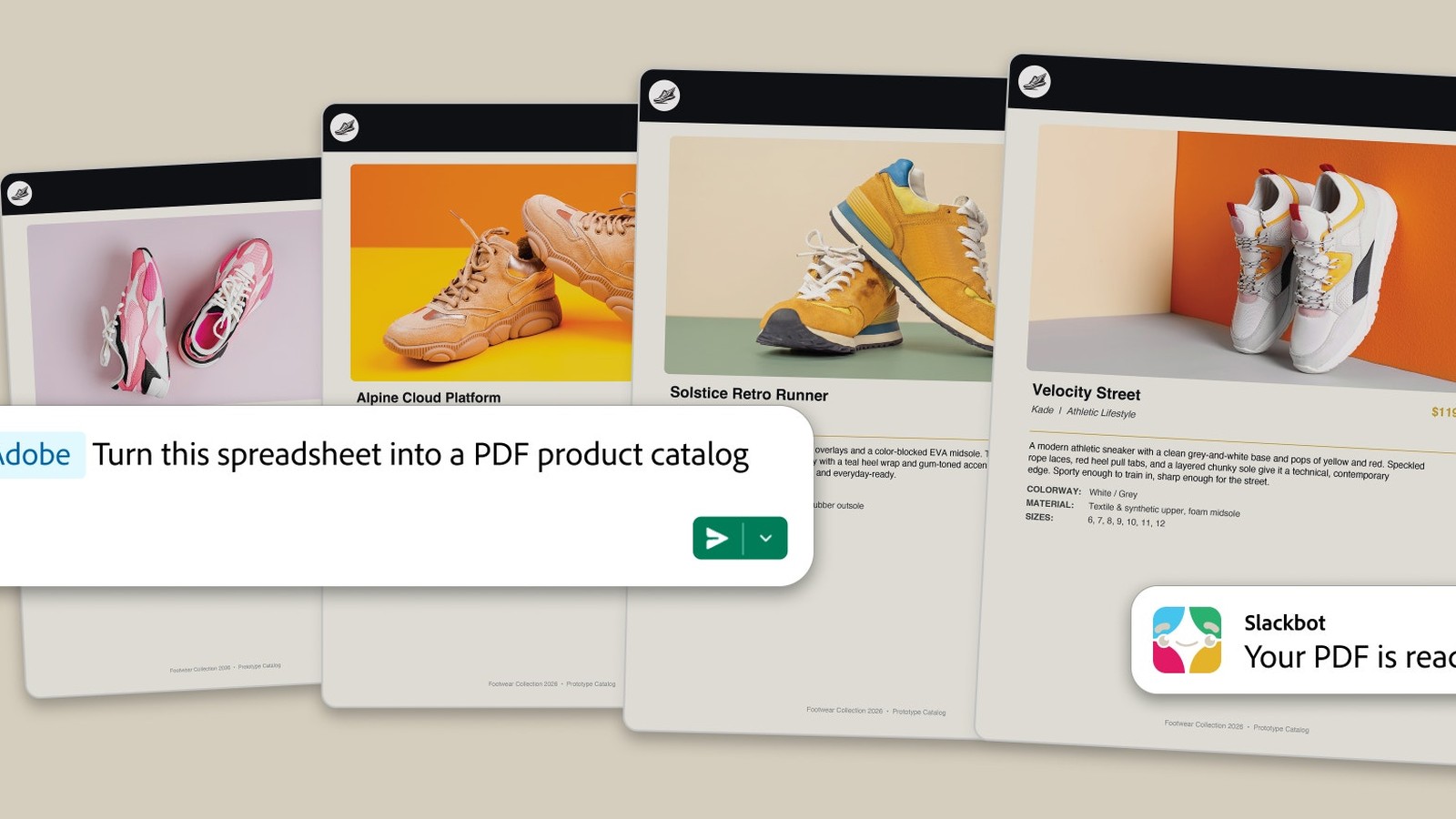
Adobe’s creative suite just moved into your work chat. The new Adobe for Slack app puts more than 70 tools from Firefly, Photoshop, Premiere, Acrobat, Illustrator and friends behind Slackbot. Describe a task in a direct message, and the bot picks the right Adobe tool to finish it. The integration shipped September 2 for Slack Business+ and Enterprise+ teams. Engadget surfaced the launch, yet the details below come from Adobe’s own blog.
Seventy tools behind Slackbot
Setup takes a minute. Open a Slackbot direct message, choose Manage Apps, then add Adobe. Users can continue as a guest, or sign in with an Adobe account. No Adobe account is required to start, in fact. However, a free login unlocks extra tools, generative AI features, Creative Cloud files and continuity across sessions. Thus the guest tier is a teaser, and the full suite needs credentials.
Once connected, the bot reads the room. It can pull context from conversations, files, channels and Canvases. Creative Cloud assets join the pool too. Ask it to search past projects by subject, style or mood, and the right file lands in the thread. Because Slack added Model Context Protocol support to Slackbot in June, Adobe follows Canva and Figma into the same slot.
What teams can make
Adobe pitches three everyday wins. First, turn a spreadsheet into a shareable visual or a polished PDF. Second, browse thousands of Express templates, customize copy and colors, then animate the result for social. Third, run bulk edits on image sets: remove backgrounds, fix lighting, crop and resize headshots or product shots, all from a chat window.
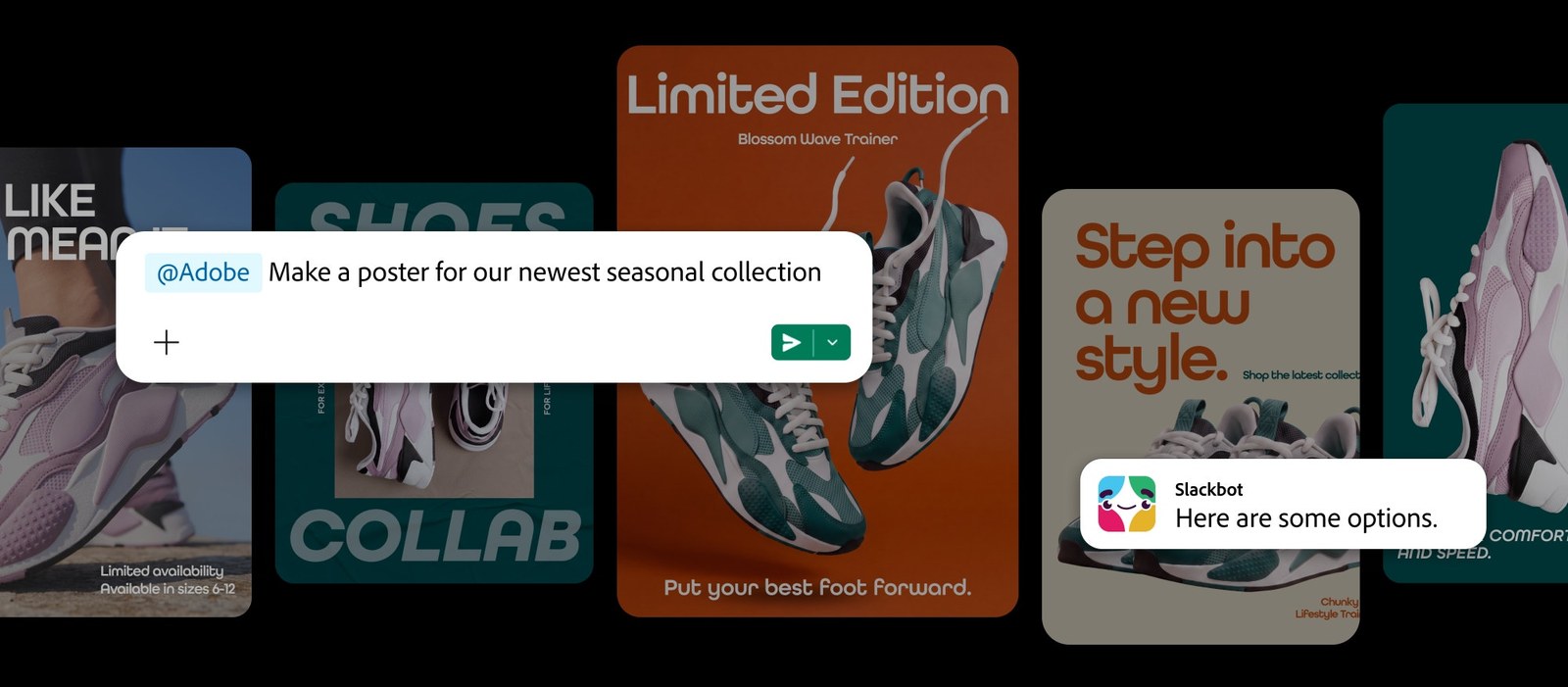
Approved creative can also be resized across channels in one pass. Adobe Stock joins the lineup too, so licensed imagery sits a prompt away. When a job needs pixel-level control, the handoff continues into Photoshop, Premiere, Acrobat or Express. Meanwhile the conversation stays in Slack, so teammates review and iterate without switching apps.
The same playbook as ChatGPT
The number 70 sounds familiar for a reason. On August 6, Adobe shipped a ChatGPT integration with “more than 70 tools,” and the Slack build looks nearly identical. Moreover, Adobe has wired its tools into Claude and Copilot already, with Gemini coming soon. So the company is wrapping one tool layer around every major chatbot.
Slack’s chief product officer Jaime DeLanghe framed the deal from her side. Bringing Adobe’s industry-leading creative and productivity tools directly into that flow means teams don’t have to leave their conversations to create. She called the Adobe app a powerful example of how MCP apps turn conversation into action.
For Slack, the Adobe app is proof that its June MCP bet is paying off. When Slackbot gained a Model Context Protocol client, the first wave included Canva, Figma, Atlassian, Zoom, Webflow and Lucid. Each new partner makes Slackbot a little more like an operating system for work. Adobe is the biggest creative name yet. So the chat window keeps absorbing jobs that used to live in separate apps.
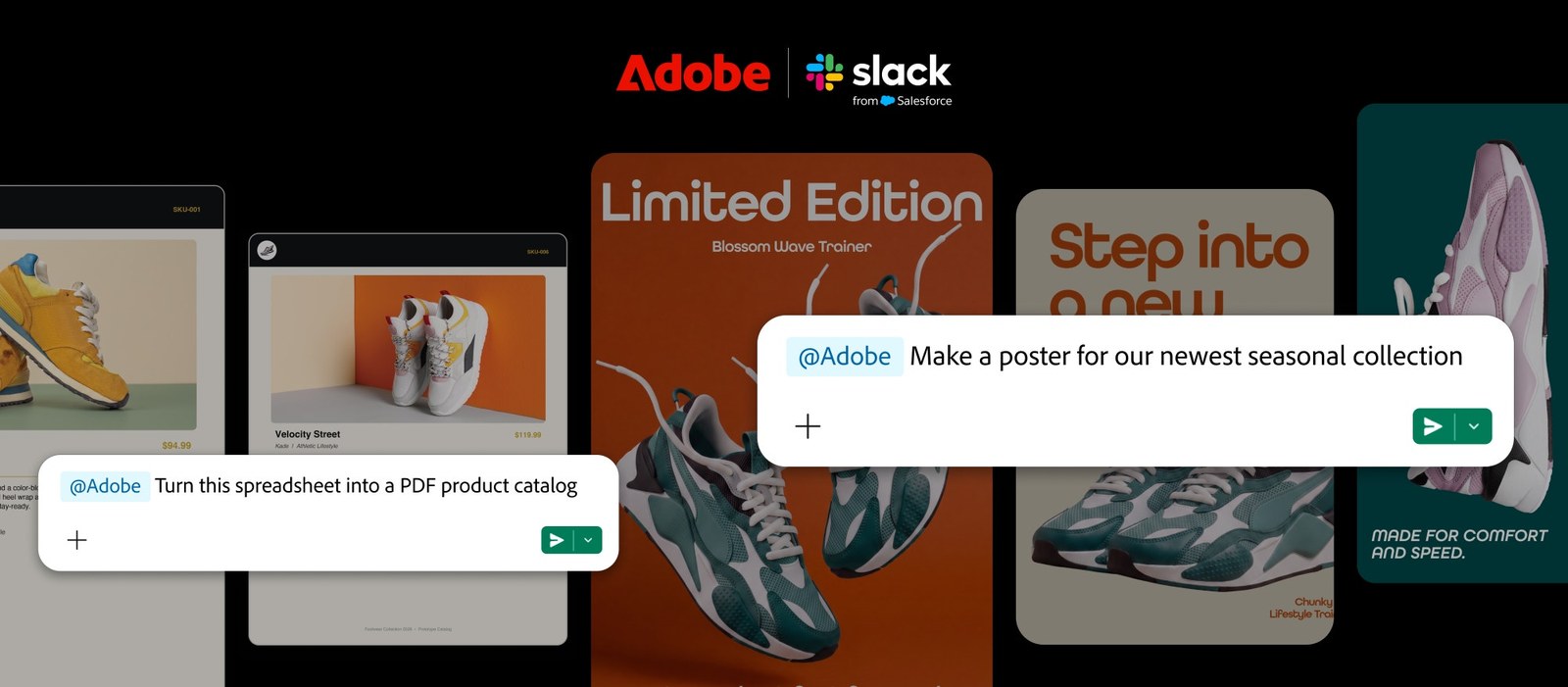
Availability and the catch
Adobe for Slack is live now on desktop, web and mobile through the Slack Marketplace. Yet only Business+ and Enterprise+ workspaces qualify. That pricing tier puts it out of reach for small teams, so the guest tier question matters. Adobe did not say when, or whether, the app will reach lower Slack tiers. Also, chatbot-generated creative still needs a human eye for brand work, since bulk edits can miss nuance. Rivals are moving too, from Claude working inside Gmail to ChatGPT’s scheduled tasks. Therefore the fight is no longer about which AI is smartest. It is about which one lives inside your tools. Adobe’s answer: all of them, starting with Slack.